Getting Started
UpWealth - Goal-based Mutual Fund Investment Platform!
UpWealth is Goal-Based financial planning and robo-investing advisory platform built for people to secure their financial future. With the help of UpWealth you can setup personal financial goals and we help you get there on time. To help you to achieve your Financial Freedom, we have created UpWealth – Your Investment Guru!
Our mission is to simplify investing through innovation. We are determine to provide the opportunities of investing & wealth creation to each & every Indian with the help of our experts for free of cost. With the help of UpWealth, our customers can retire with confidence and meet their financial goals along the way.
Account Creation
To start investing with UpWealth, you need to create your investment account by completing a Sign Up process of UpWealth. First, you need to enter your Mobile number and then you will receive an OTP to verify your mobile number. Once verified, you need to enter your email id and password for your account. - Click here to Sign Up

Password Policy
Forgot password link under the login window on UpWealth Login Page can be used to reset passwords if forgotten. - If you've entered your password incorrectly 10 times and you try logging in with the incorrect details for the 11th time, your account will be blocked. If blocked, contact our customer support team.

UpWealth Tour
When you log in to UpWealth for the first time you will be prompted to take a tour of the platform. You can access it again from the UpWealth Tour box at the right-hand corner of your dashboard.

Personalize Your UpWealth Account
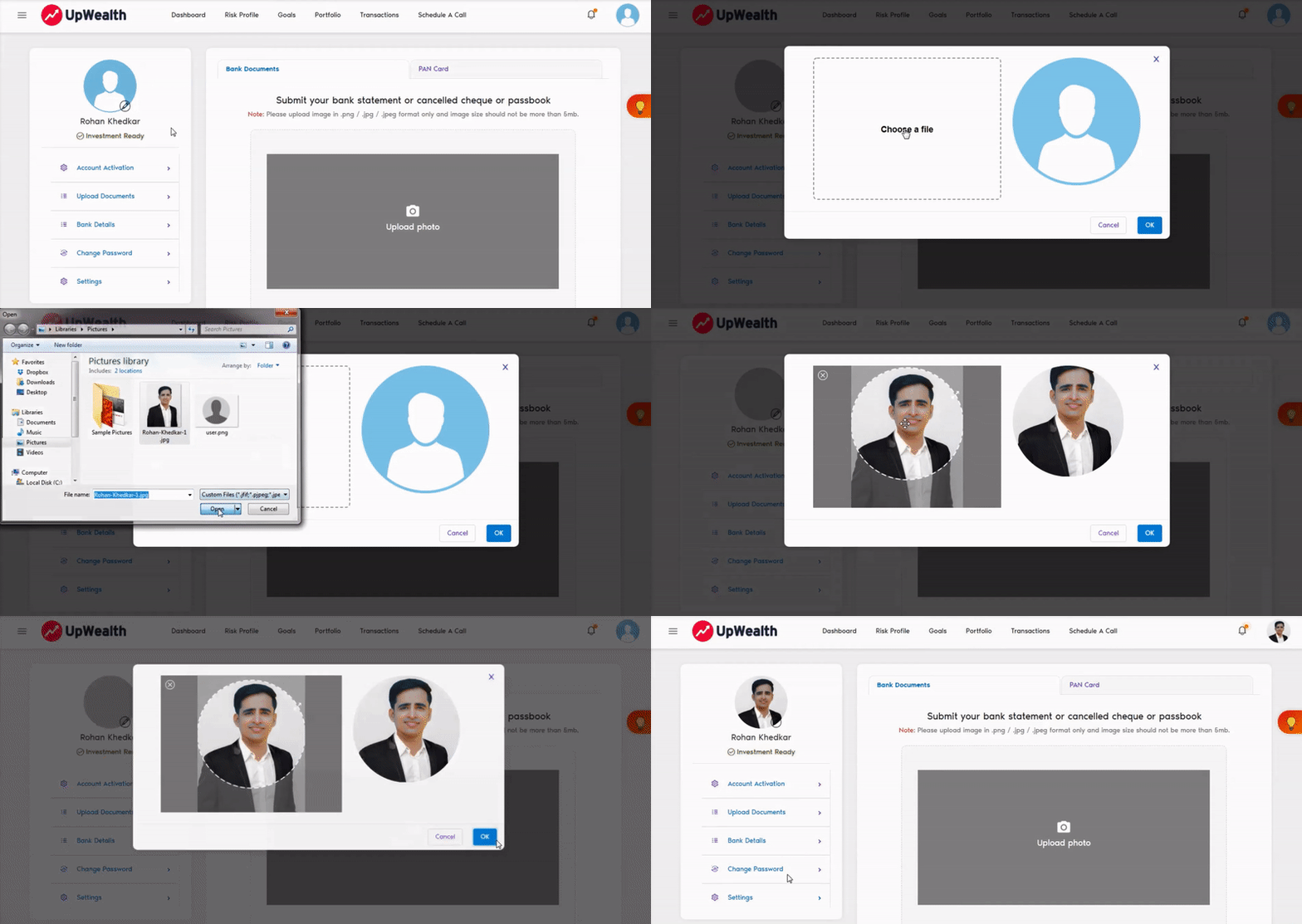
You can personalize your UpWealth account by setting your own profile picture which will show up on the entire platform. To set your profile picture, select "My Account" from the user profile picture dropdown in the top right-hand corner or from left-hand corner menu icon. You can also change your password, update your KYC details, add/update your bank account details & change settings from this section.
Next »